Assignment 8
3D SCANNING USING 3DF ZEPHYR
Working with 3df zephyr is very easy , it doesn't need any external device (like any 3d scanner). All we need to do is to take multiple image and upload it into software. More the numnber of image higher would be precision, although its much time consuming but we found this software way more easy to handle than any other software, as it doesn't involve use of any external hardware.
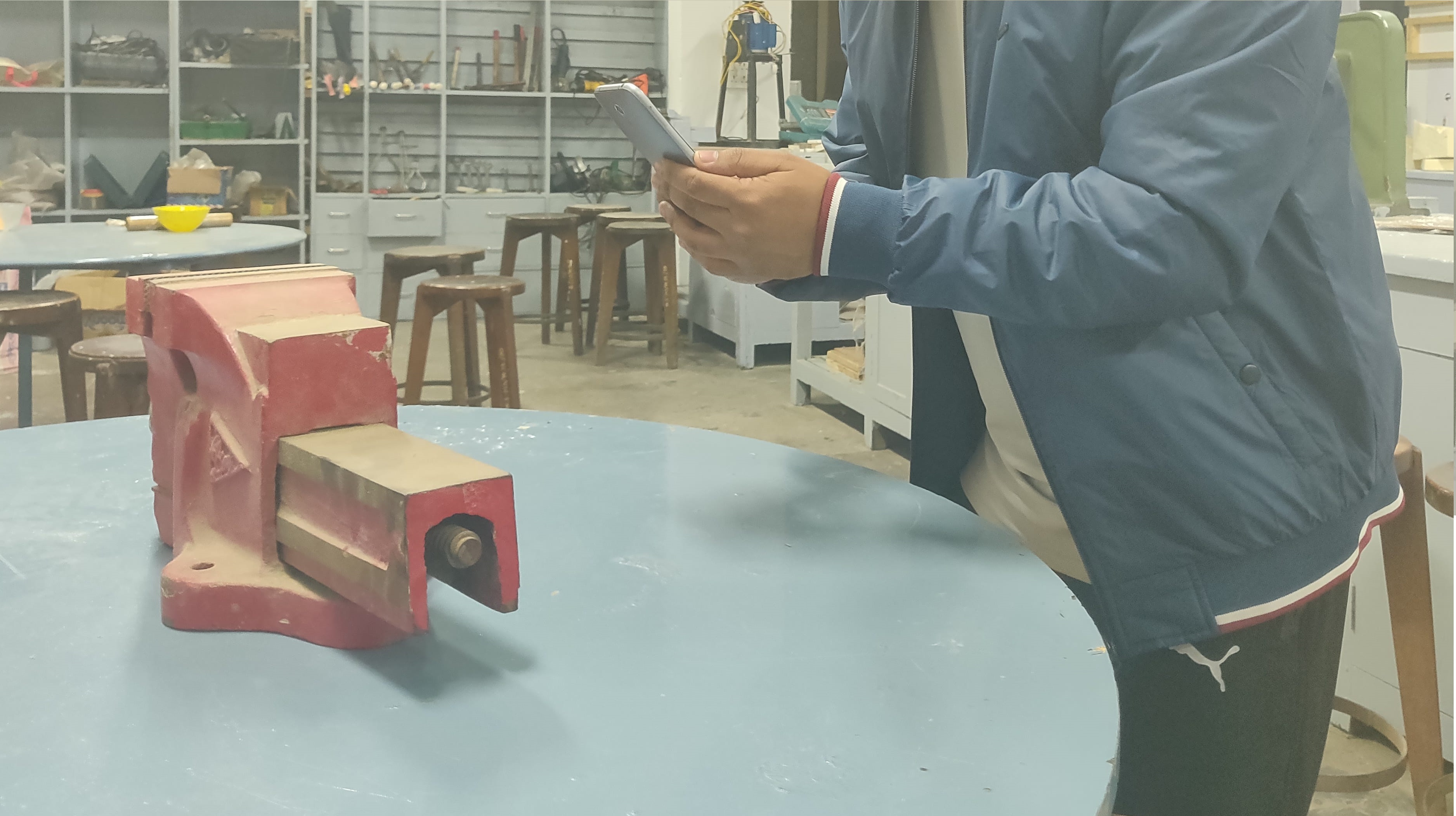
For scanning i have taken a red colour bench vice from prototyping lab and kept it at the center of a round table. We should make sure that during taking picture there should be sufficient light on the object otherwise details won't appear. I personally suggest taking atleast 150 image, because it will give you okay perfect shot. Although the software can take upto 5000 image, but that will consume lots of time so please don't do that untill it is compulsory.
.
Taking Image
.
We have taken total of 140 image from 1+6T to ensure image quality.
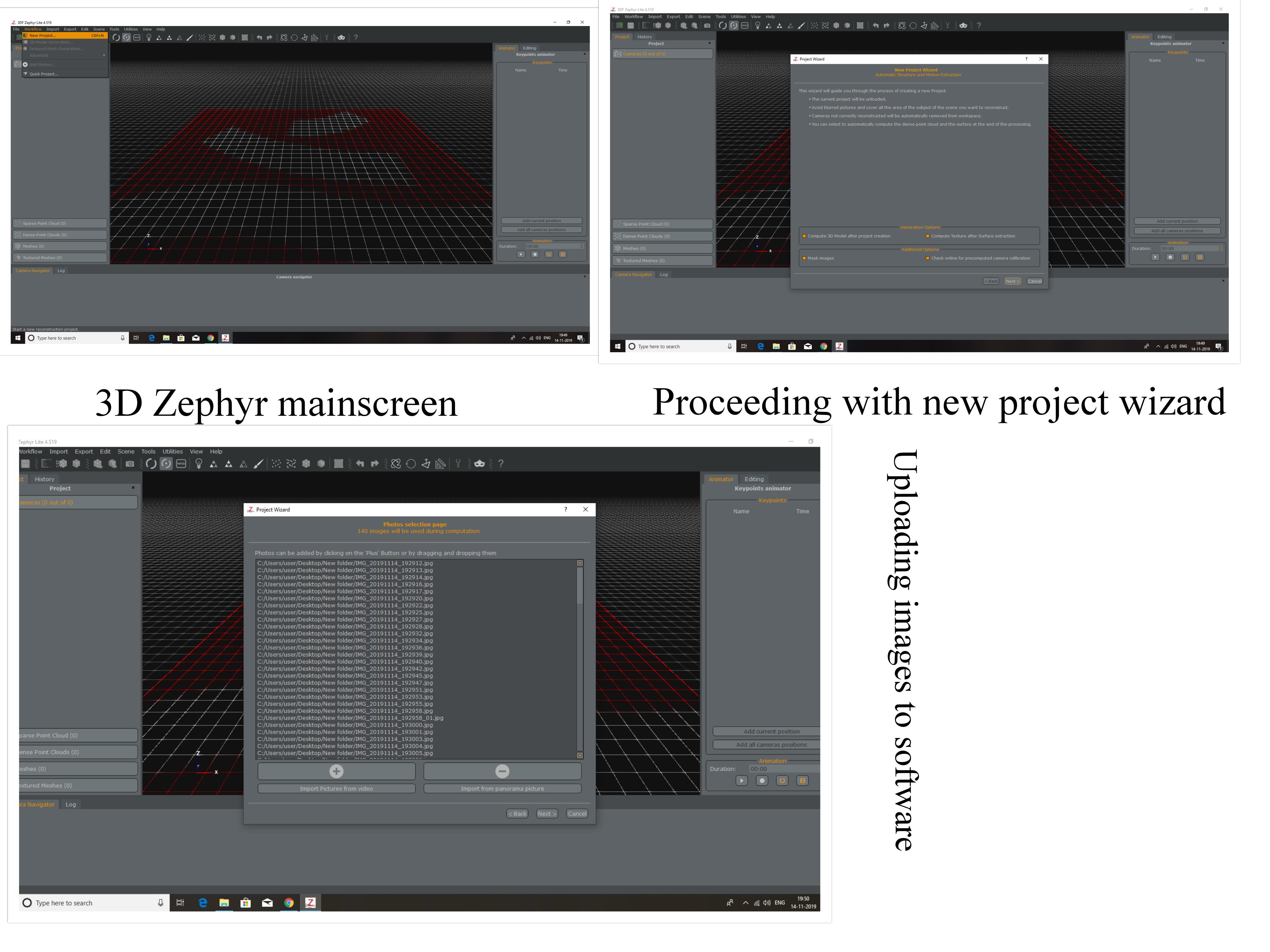
After uploading photos we need to help software in locating position of object and surrounding, so it will consume lot of time. As i have taken almost 140 image so it took me almost 10 minutes to compose them.
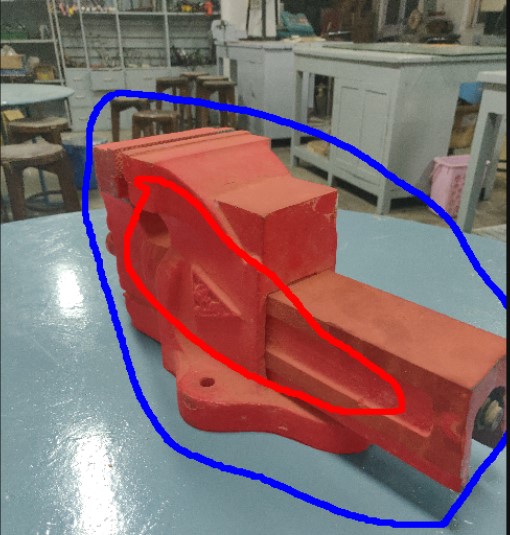
RED color line indicate body of object, we are required to make a loop on object(in this case bench vice) and BLUE line for enclosing the object. The blue loop will act as boundary outside which the object shouldn't lie. This process will be repeated for each and every image. In my case it took almost 15 minutes.
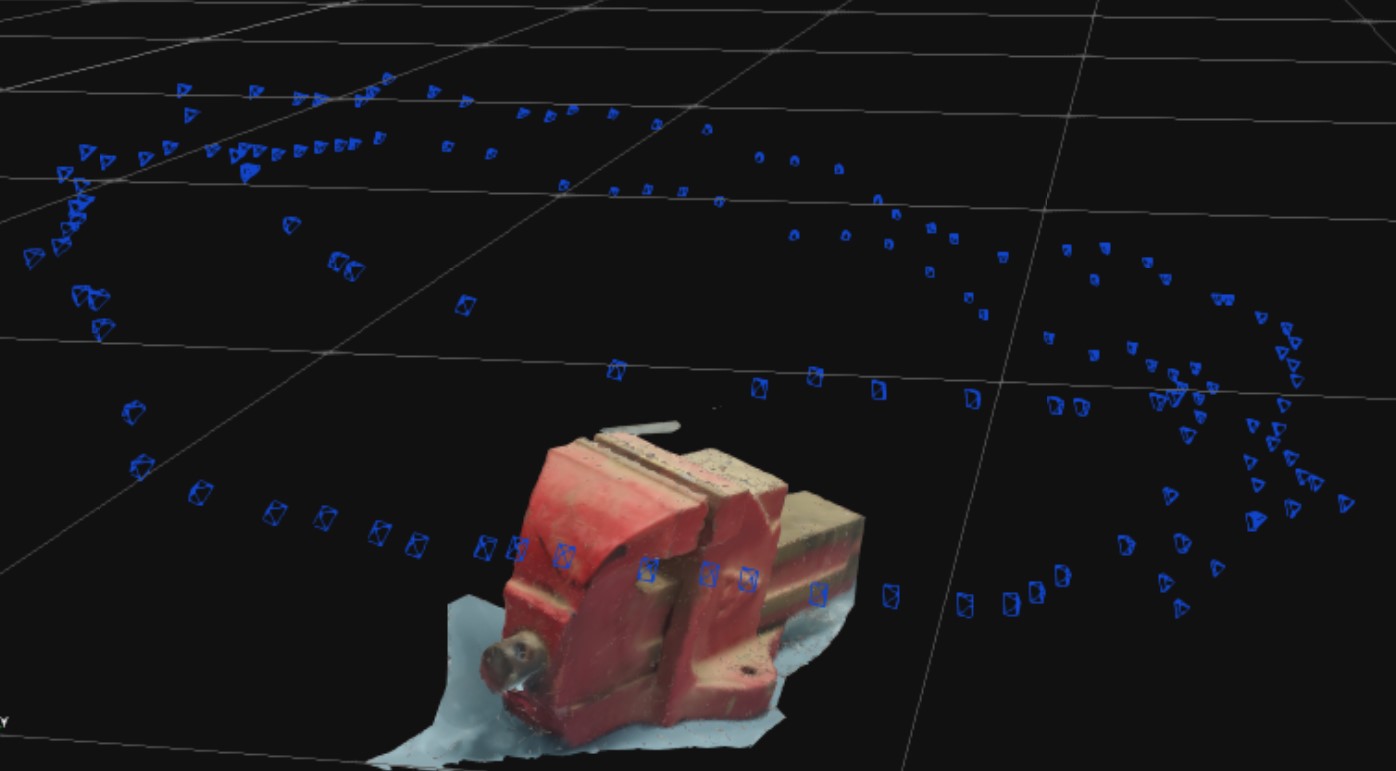
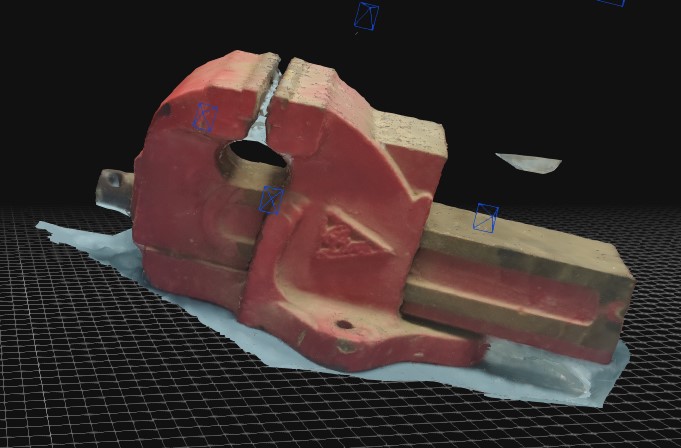
These blue color box represents the camera and their position
Final Image