Assignment 3
Developing an application integrating a GUI in a language such as Processing with a microcontroller such as Arduino. Use serial communication to make the interface interact with the microcontroller.
1. Description of the application
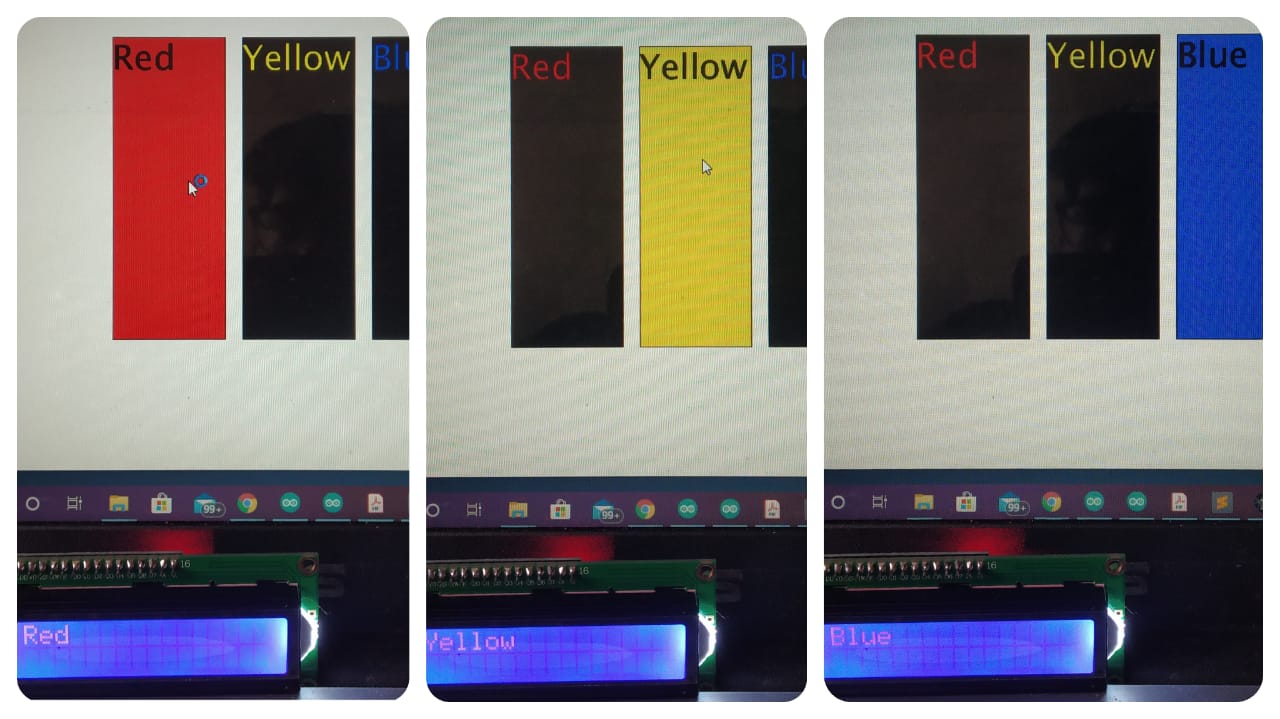
I have developed an application integrating a GUI in Processing with Arduino. The arduino is connected with a LCD1602 and an I2C module. The application consists of three buttons : Red , Yellow and Blue. So what the application does is that when the user clicks at a button on the GUI ,say Red, then the LCD prints "Red' on the screen. The same happens for the Yellow button and the Blue button as well. I have also made the GUI more aesthetic using processing.
2. Arduino and Processing codes
Click on the link given below to view the arduino and processing codes for the application-
Codes for the GUI and microcontroler
3. GUI
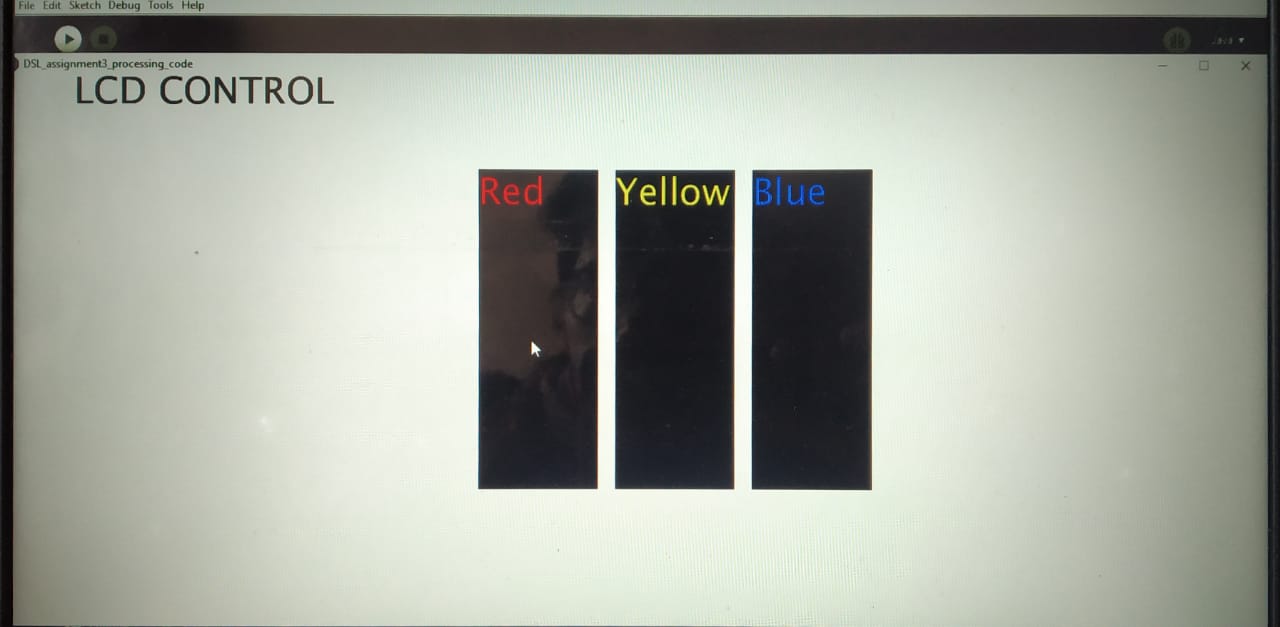
To make the interface more user friendly, I kept black as the background color of all the buttons(Red, Yellow and Blue) and the color of text on each button the same as the name of the button, i.e red text on the Red button, yellow text on the Yellow button and blue text on the blue button.
4. GUI interaction with the Arduino
To further make the interface more aesthetic and user friendly, if you click at the "Red" button then the background color of the button will turn red and similarly for the "Yellow" button and the "Blue" button. I achieved this by creating separate buttons in processing and in the if statement of each button I defined a color , say color R = color(255,0,0) and I used the fill(R) command whenever the button is pressed. Similarly for the Yellow button and the Blue button.