
Assignment 4
A. Using Science Journal App to conduct an experiment to measure and analyze Ambient light to compare the reflectiveness of different surfaces.
Background
Using the science journal app, I conducted an experiment where I compare the reflectivity of surfaces (a wall and a mirror in this experiment) by comparing and analyzing the data from the sensor measuring the ambient light.
Setup
I have a setup consisting of a phone with the science journal app and a torch. The torch is used to illuminate our target material and kept at a fixed distance from it. And the sensor of the phone is pointed towards it so that it measures the ambient light.
Experiment findings
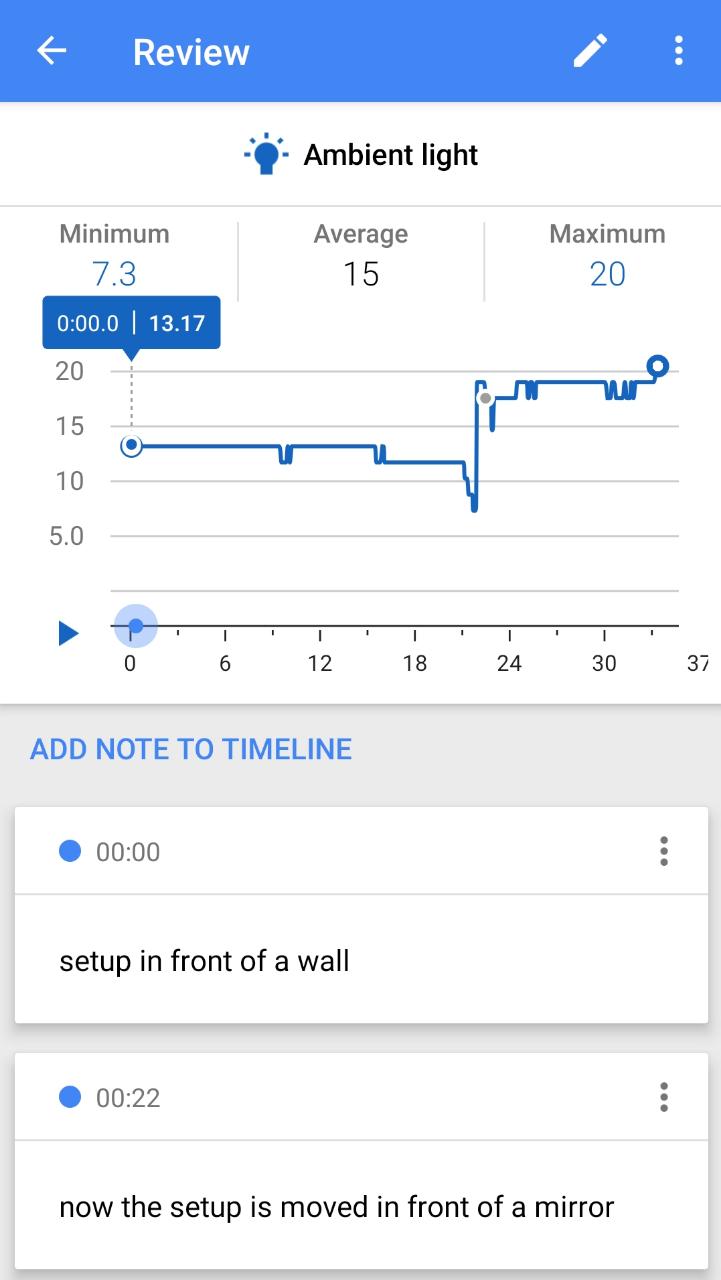
The setup is kept in front of a wall and then in front of the mirror. From the graph we can see that the average ambient light when the setup is in front of a wall is 12 lux and the average ambient light when the setup is in front of a mirror is around 20 lux. So we can say that the mirror is roughly 1.6 times more reflective than the wall(white painted).
B. Building a fire/heat alarm using a DHT-11 sensor and a buzzer.
1. Description of the application
I have developed an application where I have combined the output of the temperature and humidity sensor with the buzzer so as to create a fire alarm. The basic idea is that when the temperature of the room goes above a certain limit, the buzzer will start ringing thus giving a warning to the people in its surrounding and when the temmperature falls below the limit, the buzzer stops ringing. Here in the code and the video I have set the temperature limit as 27 degree celcius for demonstration purposes.
2. Arduino code
Click on the link given below to view the arduino code for the application-
Code for the combination of the input and the output device
3. Measuring the temperature reading
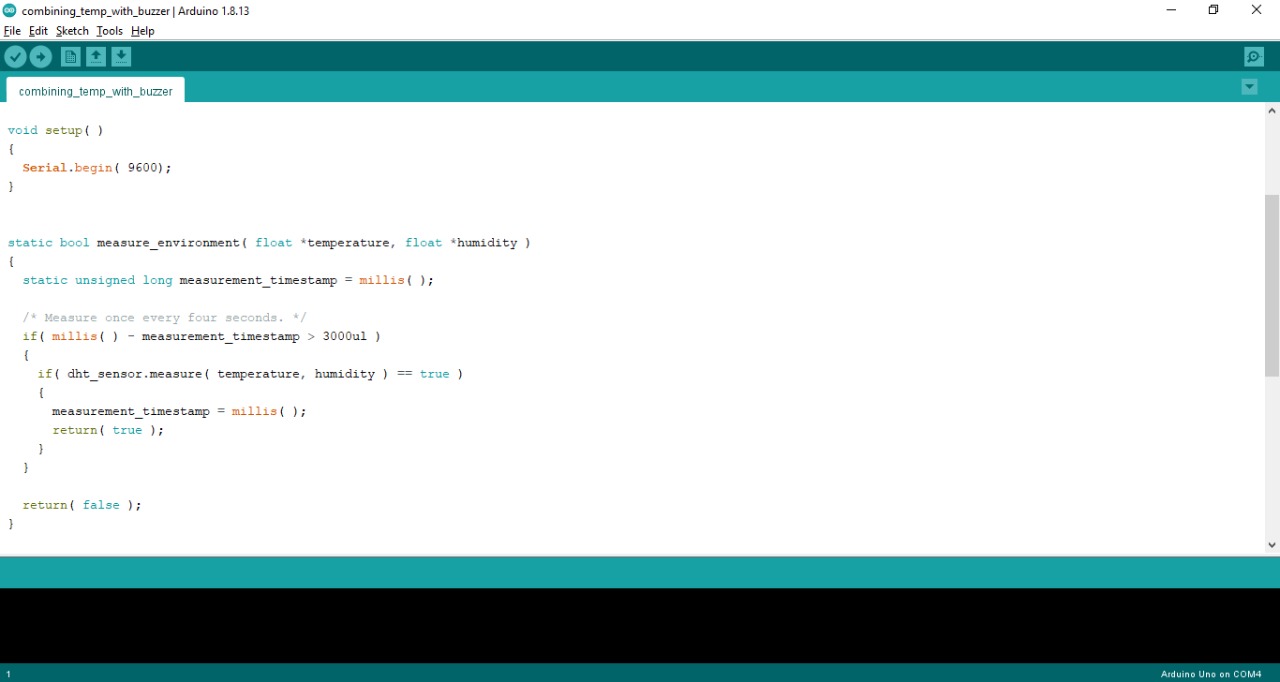
I written the function meausure_environment() which will take in the temperature and humidity values from the sensor. First it will check whether we are getting a temperature reading or not. If yes then it returns true.
4. Using the output of the sensor as input for the buzzer
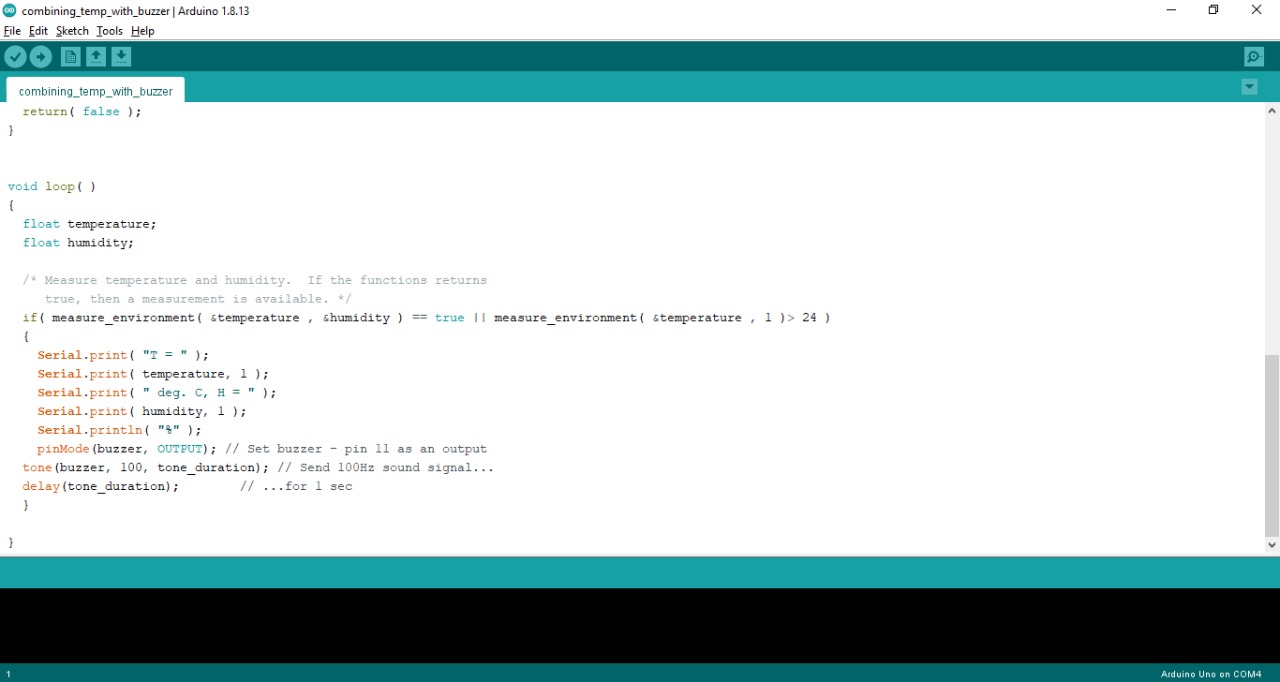
I have defined a variable temperature. Using the function measure_environmemt(), the sensor readings are stored in the variables temperature and humidity. And then we can simply run an if-condition where when the temperature is greater then the critical temperature the buzzer will ring.
5. Working Video
Here is a working video of the application-