
Assignment 1
Designed own website for the course through HTML, HTML-CSS, JAVAScript. for this part i picked up a template (website refrence cited on the webpage itself). I used the server provided by IITD for non-cs students for uploading my files through WinSCP. Also i compressed all the image files used on webside before uploading. As there is a disk space limit on the server.
Assignment 2: project proposal - Smart lamp
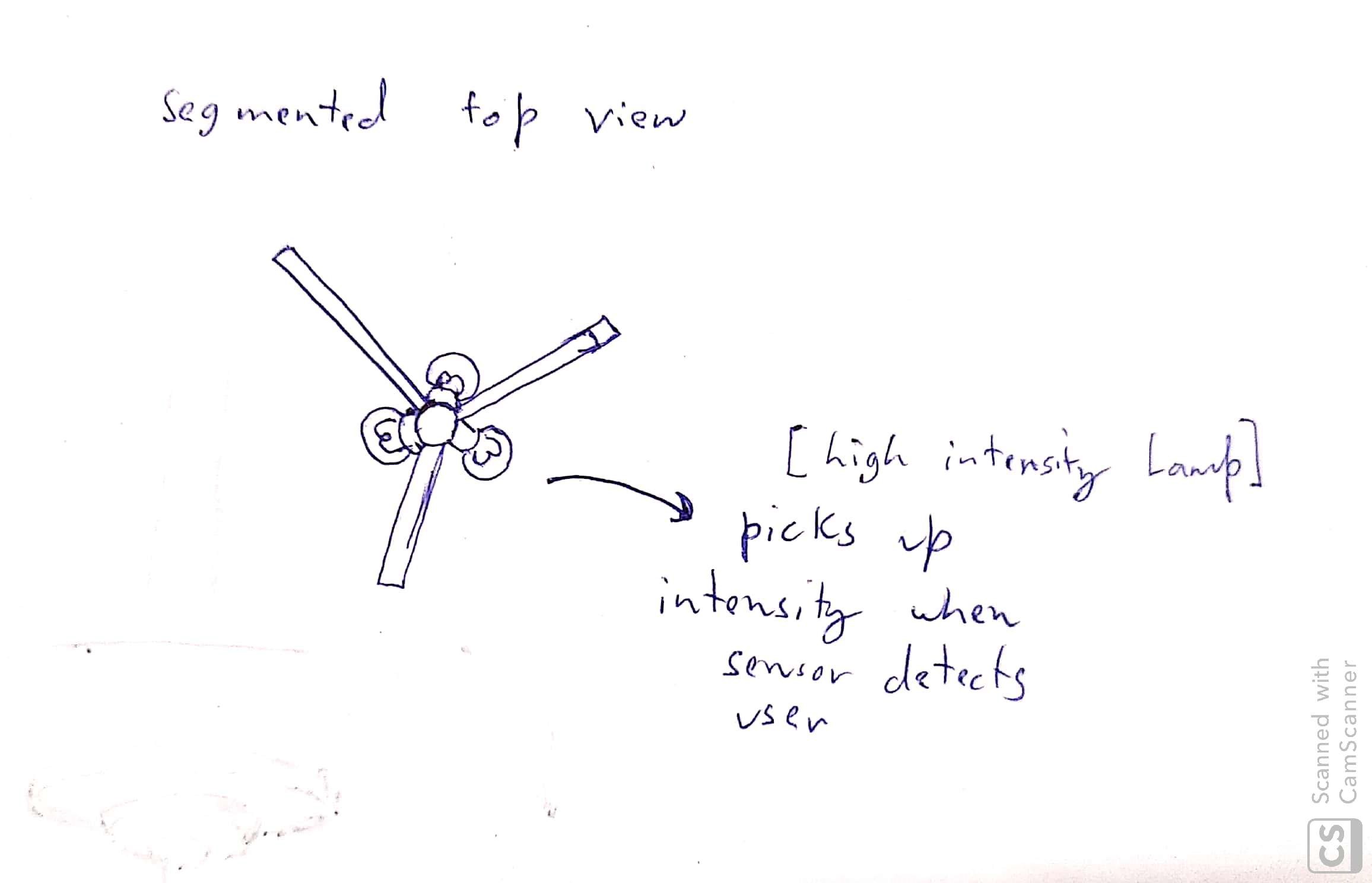
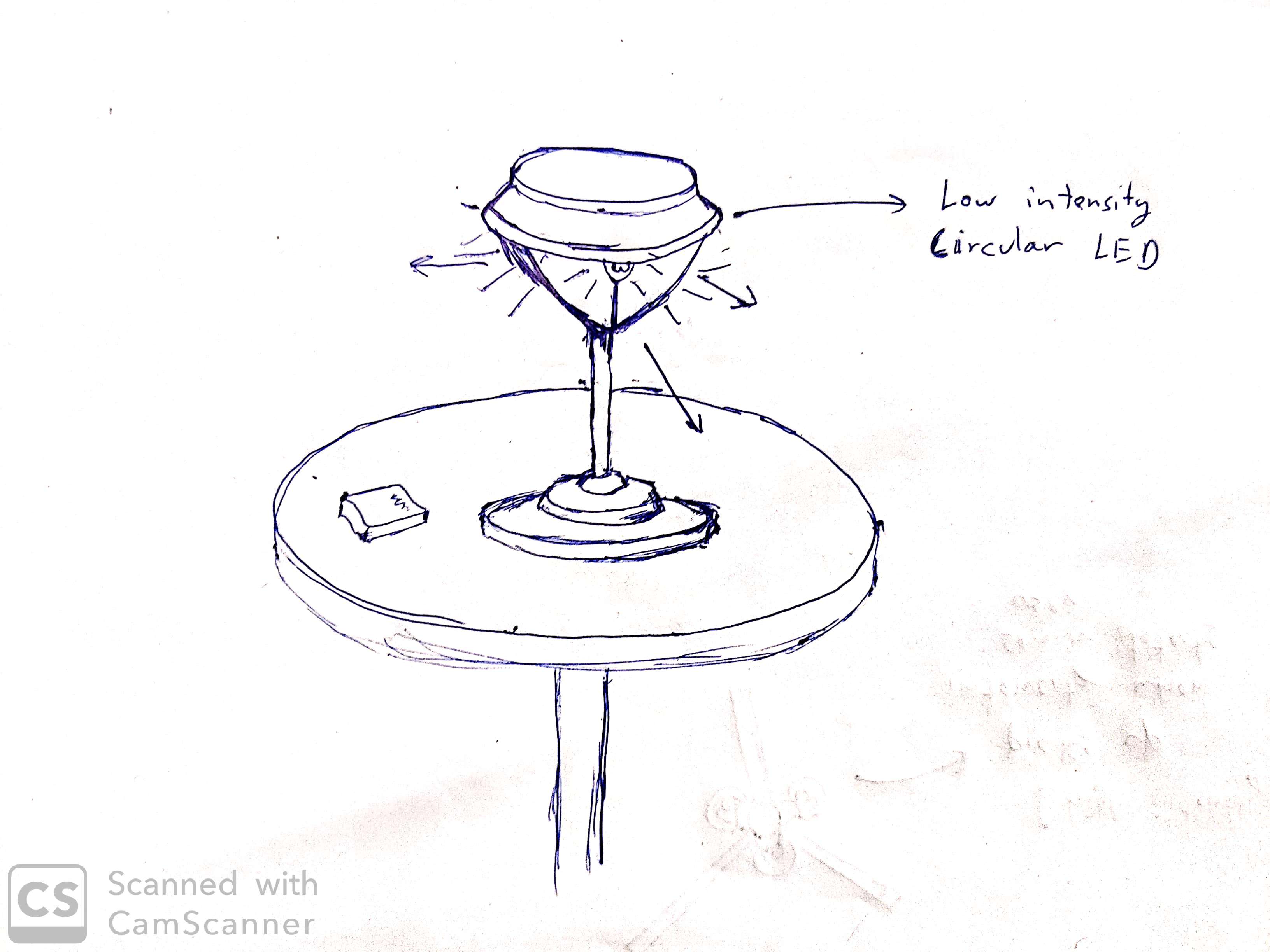
Uniquely Designed three way smart table ambient lamp. fulfilling targets like focused attention for a subset of users, ambient light sensitivity and Energy efficiency.Idea pitching
The areas in which ambient light is not preferred sometimes for reading and writing purposes, Lamps are used for a replacement. We tried to give user a better experience and more options with this Smart Lamp model.
The setup is for a three sitter table and our focus was on how to easy the use of this inerface and make it consistent for the user. One of our main goals is energy efficiency as the previous models use constant lighting setting with mobile covers.
.jpg)
Components
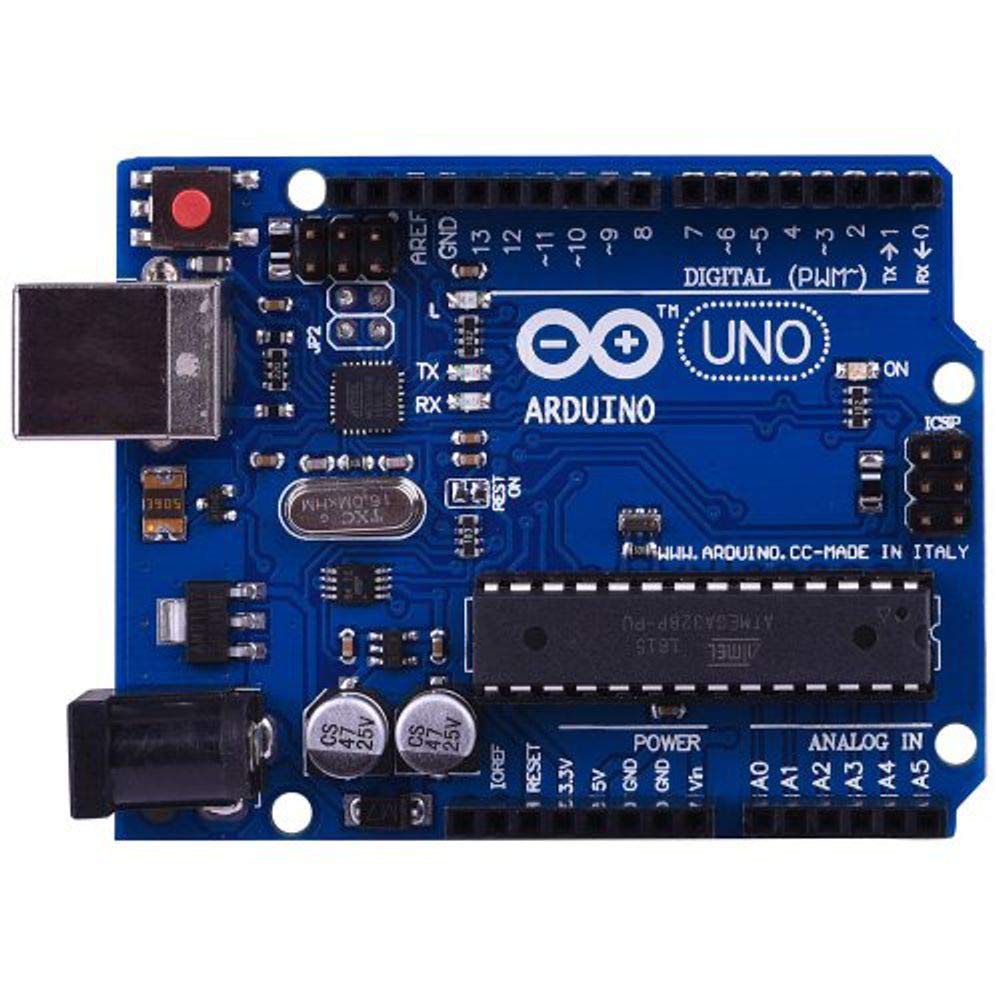
For the model to be assembled many components like Motion sensors, Ardiuno micro-controller, LEDs, 3D printed parts and many more components which are going to be discovered during the process.
More details will be added once we start properly.
Features
Target features throgh the prototyping process.Gradient Lighting
Graident intensity increase providing less strain on the user and an aesthetic feature is also introduced through this.
Motion sensitive
The LEDs are set to be motion sensitive, in order for the consistency of the room to be maintained.
Energy efficient
The ambient light sensitivity and motion sensitivity makes this model more energy efficent than the previous versions
More features
Through the process of prototyping we will try to add on more features according to the availability of time and resourses.
Assignment 3
Developed an application integrating a GUI in Processing. with a microcontroller Arduino UNO. Useed serial communication to make the interface interact with the microcontroller. controlP5 is a library written by Andreas Schlegel for the programming environment Processing. I used this library for this assignment. Wrote a code in such a way that when Arduino receives any character over serial port, it performs some particular task like in this case giving high to selected pins. There is a Serial library in the Processing and I used that to read and write to the serial port. So what I did was I assigned a function to each of the buttons to send some character to serial port, so when you press any button, it send particular char to the serial port. For example suppose we have a button called red, when you press button red it sends char 'r' to the serial port. At the other end, Arduino receives that char 'r' and according to the received char it changes state of the pins.
.jpg)
processing sketch code 1
.jpg)
processing sketch code 2
.jpg)
processing sketch code 3
.jpg)
Arduino sketch code
Assignment 4
Displaying output from Ultrasonic Sensor on LCD Display
First defined the Trig and Echo pins, duration, distanceInch and distanceCm. In this case they (trig and echo pins) are the pins number 9 and 10 on the Arduino Board and they are named trigPin and echoPin. In the setup defined the trigPin as an output and the echoPin as an Input and also started the serial communication for showing the results on the serial monitor. If the object is 10 cm away from the sensor, and the speed of the sound is 340 m/s or 0.034 cm/µs the sound wave will need to travel about 294 u seconds. But what you will get from the Echo pin will be double that number because the sound wave needs to travel forward and bounce backward. So in order to get the distance in cm we need to multiply the received travel time value from the echo pin by 0.034 and divide it by 2. Next we print the output on the LCD display in the loop. Then we are done.
.PNG)
Arduino sketch code
Different sensors in the phone and their fucnctions
1. Ambient Light Sensor: A light sensor reports the current illumination in SI lux units
2. Proximity Sensor: it reports the distance from the sensor to the closest visible surface
3. Linear Accelerometer: it reports the linear accelaration of the device in the sensor frame
4. Magnetometer: measures magnetic field in micro tesla
5. Gyroscope: provides orientation information
6. Microphone: detects sound intensity
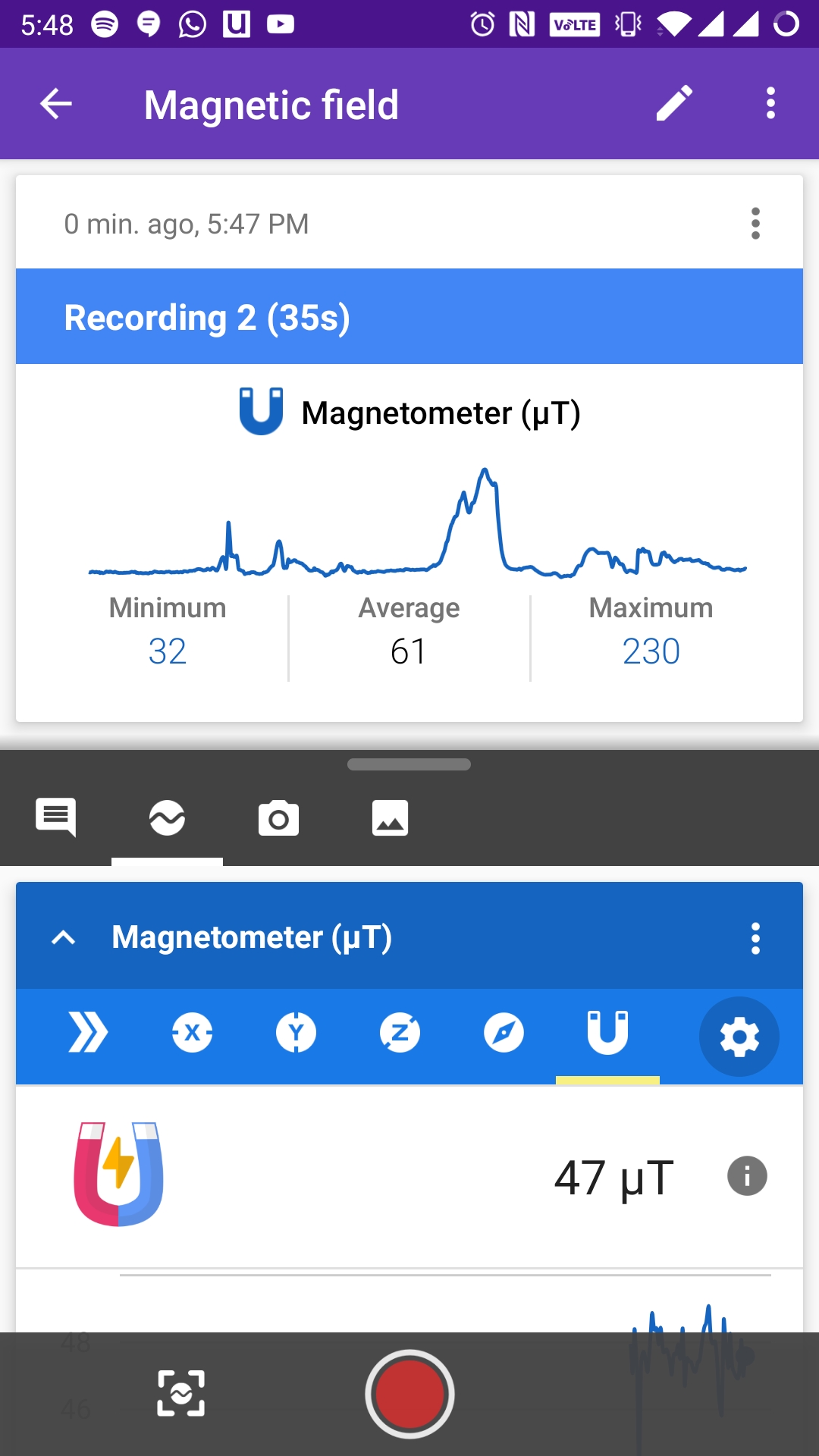
Conducted an experiment for obtaining the leakage magnetic fields of different electrical devices around us. measured around a phone and a laptop. The peaks shows that the sensor was in close proximity of a device and it is the leakage field.
Assignment 6
Implimentinbg Data science on Financial Tweets analysis
The Idea is about using public sentiment and journalism to gather sentiment profiles on publicly traded companies. Using a developed Python package (Github link) that scrapes the web for articles written about companies, and then used on the abundance of overlap with Twitter. The researchers who gathered the data developed a NodeJS project running on RaspberryPi to monitor Twitter for all tweets coming from those mentioned in the content section. If one of them tweeted about a company in the stocks_cleaned.csv file, then it would write the tweet to the database. The relevancy of dataset is questionable, Hopefully these tweeter database is used to generate some sense of public sentiment score through ML. The data used here is gathered from a project : StockerBot
Framework Implimentation
.PNG)
.PNG)
.PNG)
.PNG)
.PNG)
.PNG)
.PNG)
.PNG)
For StockBot Export and Final Cleaned stocks Click here