
Assignment 1
Website Design and Development
Editing the background image
To change the background image of the home page, edit the source of the image file according to the new file.

Changing the colour scheme
To change the colour of body, edit the background colour attribute and change it to required hexcode in index.html file.
 Similarly to edit, the font colour/style, header and footer, edit the colour/style attributes in format.css file.
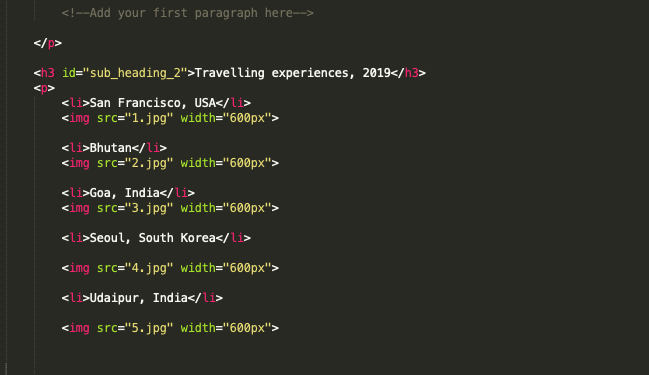
Adding Travel List
Add images to same directory as about.html folder. Edit the html file as below-
 Similarly to edit, the font colour/style, header and footer, edit the colour/style attributes in format.css file.
Uploading website on server
Mac users can download and install Filezilla, an FTP solution for both client and server
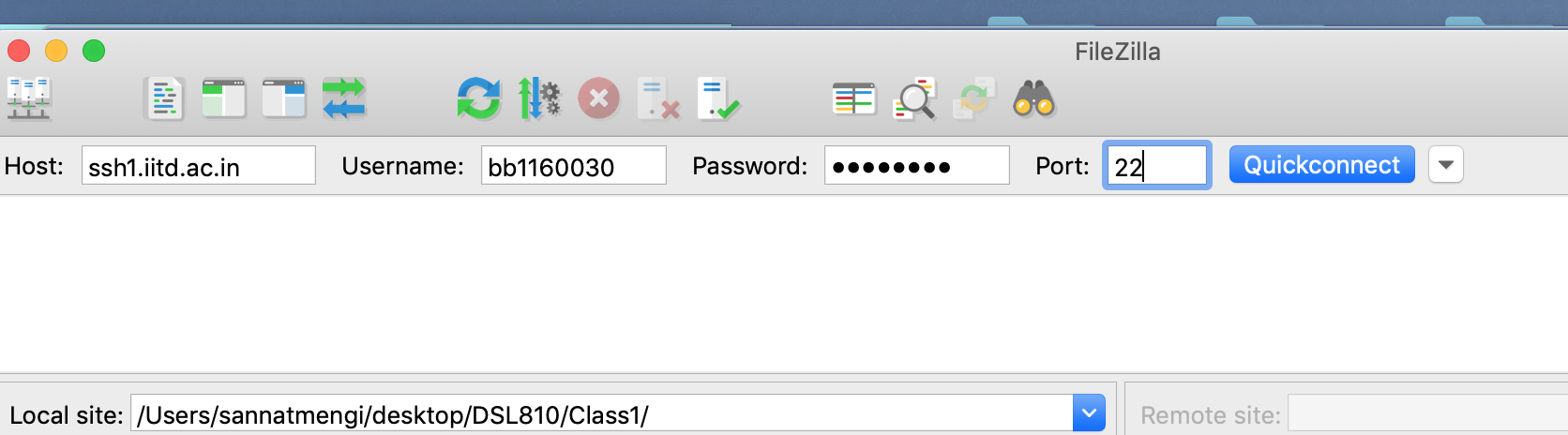 Login with your details as given in image above.Create a folder "private_html" in your IITD CSC account and copy the contents of your template folder in private_html folder as shown in image below.
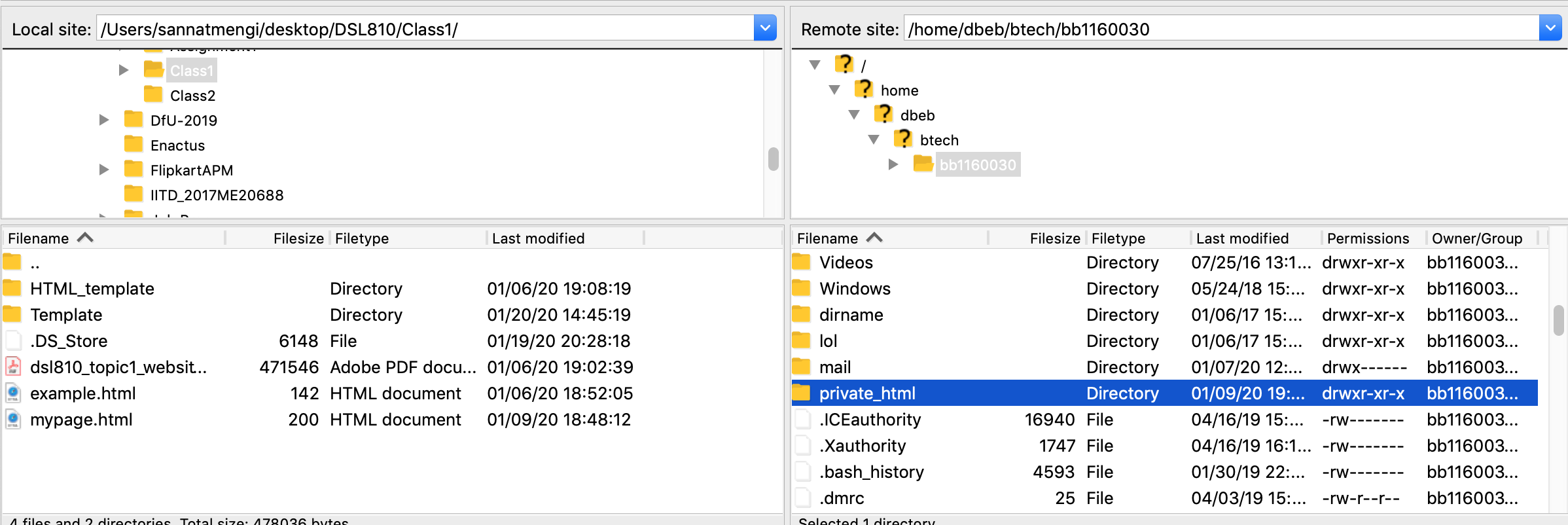 Access the account using the link in format- privateweb.iitd.ac.in/---yourusername---.(In case, after login to the website address the directory shows up, ensure that the name of Index file is "index.html")
Credits- Sannat Mengi for instructions on how to upload on server using a Mac OsX compatible secure copy client.